How to Control Motorized Shades: App, Voice, Remote, and Automation Options
Motorized shades can be controlled through a handheld remote, a wall keypad, a smartphone app, voice commands, or programmed schedules and scenes. These methods can coexist, so lowering the living room shades does not have to depend on finding a phone.
The right combination depends on the shade system’s compatibility and how each room is used. A bedroom benefits from bedside control, while an open living area may call for a single scene that adjusts both shades and lighting. Follow these steps to plan controls that feel natural without adding visual clutter.
Step 1: Decide Which Shades Move Together
Start with the windows, not the interface. Define which shades need individual control and which belong in a group. Grouping every window in a room together is convenient, but it can be limiting when different elevations receive different amounts of daylight.
For a living room with broad glazing, a useful arrangement might include:
- Individual control: Adjust the shade beside a reading chair without changing the entire room.
- Window-wall control: Lower the west-facing shades together while leaving another view open.
- Room control: Move all living room shades with one command.
Use clear names such as Living Room West Shades rather than device numbers. Consistent naming makes apps easier to navigate and voice commands easier to remember.
Step 2: Give Each Room a Practical Physical Control
Remotes and keypads provide direct access without requiring a phone or spoken command. They are particularly useful for guests and for routines that happen in the same place every day.
Dedicated remote
A handheld remote suits a bedside table, reading area, or media room. Choose controls that make the intended scope clear, whether that is one shade, a window group, or the whole room. Portability is convenient, but it also means the remote needs a consistent resting place.
Wall keypad
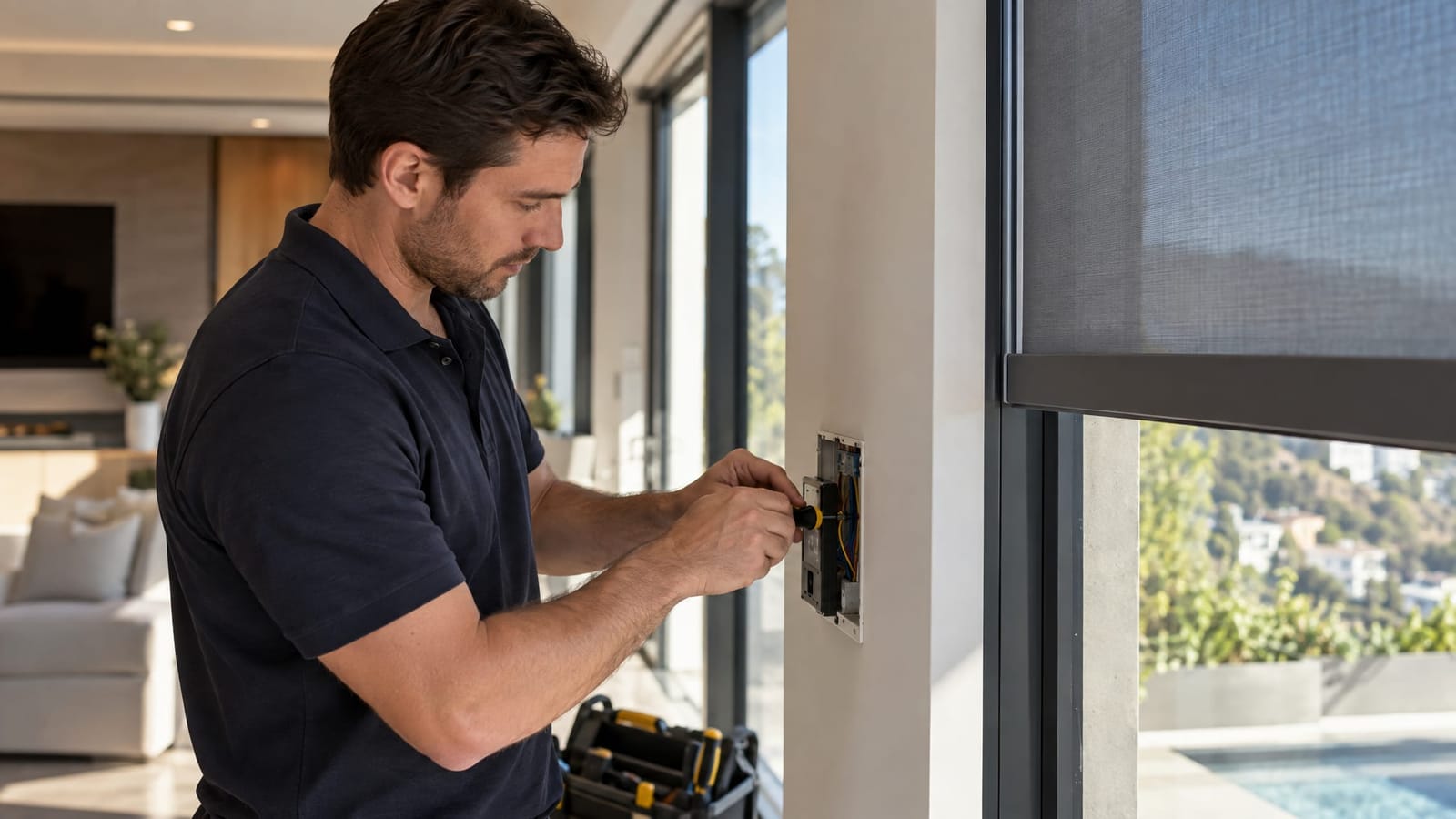
A keypad creates a fixed control point near an entrance or beside a bed. In an integrated system, it can provide scene buttons rather than separate controls for every shade and light.
For example, an Evening button could lower selected shades and set the lighting to a comfortable level. Decide what each button does before finalizing its engraving and wall location.
Step 3: Choose the App That Will Handle Daily Use
A shade manufacturer’s app focuses on the window treatments. A whole-home control app brings shades alongside other integrated systems, such as lighting and entertainment. The better everyday interface is the one that makes frequent adjustments easiest, not the one with the longest feature list.
Look for a room-based layout, recognizable group names, and straightforward access to favorite positions or scenes. Distinguish everyday controls from setup menus so a simple adjustment does not become a configuration task.
If away-from-home operation matters, include supported remote access in the system specification. An app that works inside the house does not automatically provide control from elsewhere.
Step 4: Add Voice Control for Specific Tasks
Alexa, Google Assistant, and Siri offer hands-free control through compatible shade systems and home platforms. Check the supported integration path before selecting hardware, including any required bridge or controller.
Voice works best with short, distinct names. A command such as Close the living room shades is easier to use than remembering a manufacturer’s device label. Avoid giving a lighting group and a shade group the same name.
Treat voice as an additional convenience rather than the only control method. A keypad or remote remains useful when someone prefers silence, when guests are unfamiliar with commands, or when a voice service is unavailable.
Step 5: Separate Scheduled Movement from Scenes
A schedule determines when something happens. A scene defines what happens. Keeping that distinction clear makes automation easier to understand and adjust.
- Schedule: Open selected kitchen shades at a chosen time on weekday mornings.
- Scene: Set media room shades and lighting for watching a film.
- Scheduled scene: Activate an evening combination of shade positions and lighting without pressing a button.
Choose fixed times for routines tied to the clock. For systems that support astronomical scheduling, sunrise or sunset triggers can follow seasonal changes without repeatedly editing a fixed time.
Begin with a few predictable routines. Bedrooms, guest rooms, and spaces with changing occupancy often benefit from more manual choice.
Also define what happens after an override. If someone raises a shade during an evening scene, decide whether it stays there until the next scheduled event or whether a recurring rule will move it again. Unexpected movement often comes from overlapping instructions rather than an unclear button.
Step 6: Program and Test Everything as One System
At Smart Homes Innovations in Van Nuys, we design and install motorized shades integrated with lighting control, tailoring the system to how each home is used. Professional programming connects the control methods around a shared plan rather than leaving each interface with separate routines.
A coordinated setup addresses:
- Consistent groups: The app, keypad, and voice interface refer to the intended windows.
- Schedule ownership: Automations are managed deliberately, without competing schedules in multiple apps.
- Position feedback: On-screen shade status uses feedback supported by the selected equipment.
- Manual overrides: A direct adjustment interacts predictably with later scheduled actions.
Test complete routines, not just individual buttons. Activate the evening scene, adjust one shade manually, and observe the next scheduled action. Walk through the controls from an entryway, a sofa, and a bedside position to assess whether they are convenient where they will actually be used.
Frequently Asked Questions
Will motorized shades work without internet access?
Local remotes and keypads can operate without internet access when their communication path is local. Cloud-based voice commands and away-from-home app access depend on internet connectivity. The shades and any required local controllers still need power.
Can existing motorized shades connect to a home automation system?
Integration depends on the motor, receiver, and supported control method, not the appearance of the shade. Identify the existing equipment before selecting an integration bridge or replacement controls.
Can shades stop halfway instead of only opening or closing?
Many systems support intermediate positions, but a saved favorite position and selectable percentage control are different features. Include the desired behavior in the control plan, especially where preserving a view matters.
Keep Everyday Control Straightforward
Prioritize accessible physical controls, a clear app layout, and a small set of useful automations. Add voice where it helps. The goal is a consistent experience across every interface, with manual adjustment always accounted for in the programming.