Outdoor Lighting Control for Luxury Estates: Landscape, Pool, and Security Lighting Automation
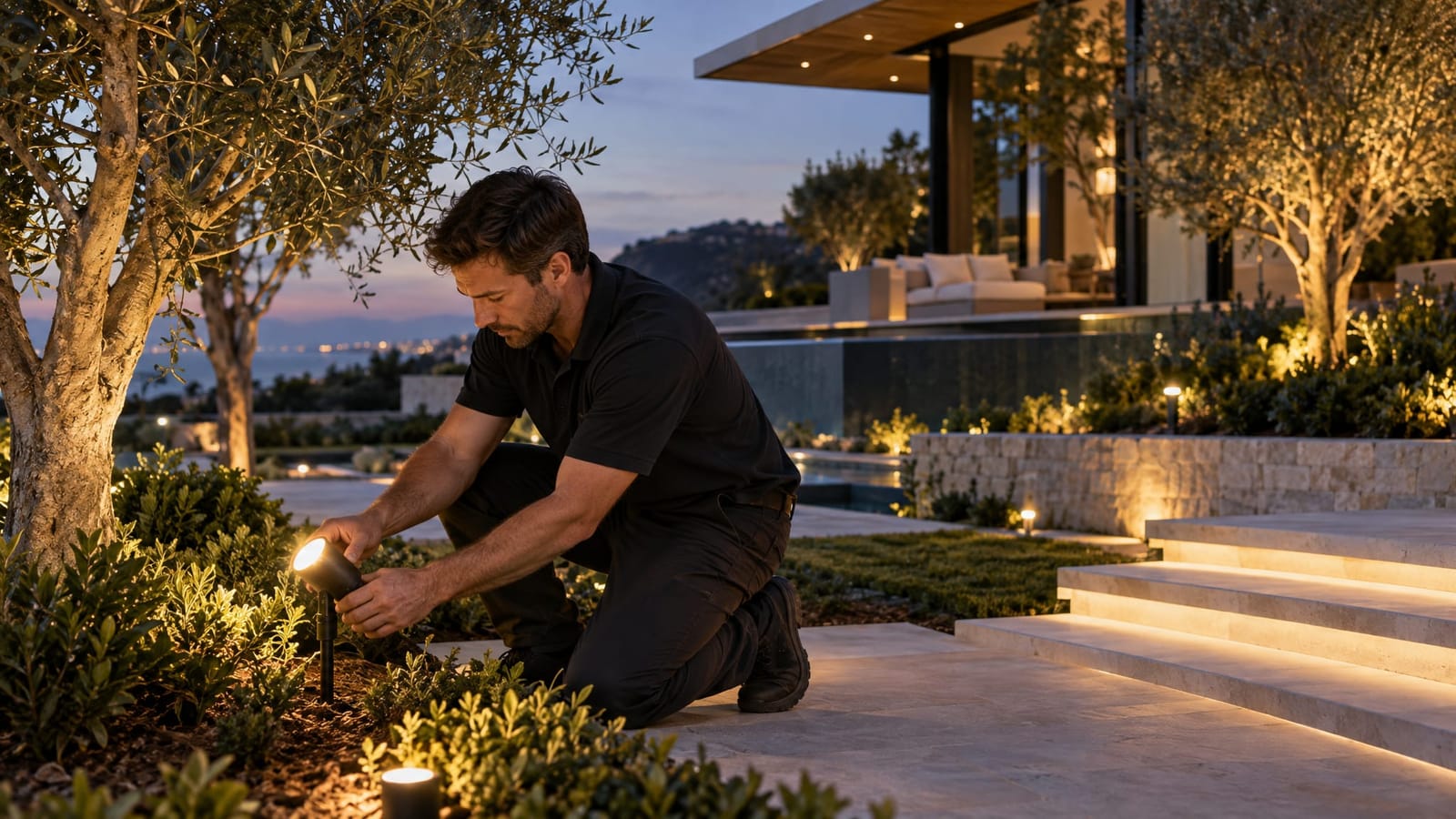
Outdoor lighting control works best when the grounds behave like an extension of the home, not a collection of separate timers. Driveway lighting, garden accents, pool illumination, pergolas, and motion-responsive lights can share one control system while retaining independent settings for each area.
The essential design decisions are where to create separate lighting zones, how those zones respond to sunset and daily routines, and which events temporarily change the lighting. A well-planned system makes an evening gathering easy to manage without illuminating every corner of the estate.
For expansive properties in Van Nuys, that planning also involves the view from inside. Through large glass doors, a softly illuminated tree or garden wall can become part of the interior composition. The controls need to preserve that composition while accommodating arrivals, entertaining, and quieter overnight settings.
Connect the Grounds to the Whole-Home Lighting Plan
Lighting design determines what gets illuminated, where fixtures sit, and how light falls across surfaces. Lighting control determines when those fixtures operate, their brightness where dimming is supported, and how they respond together. An architectural lighting control system brings those decisions together, but programming cannot correct a poorly aimed fixture or an unsuitable beam.
A zone is a group of lights that operates together. A scene combines settings across multiple zones. For example, a terrace scene might soften garden accents, illuminate the dining area, and leave the driveway at its normal evening setting.
Separating circuits during construction preserves these choices. If pergola task lighting and decorative garden lighting share one controlled circuit, they cannot receive independent brightness commands from that circuit.
At Smart Homes Innovations, based in Van Nuys, we tailor lighting control and whole-home automation to the household’s routines. Outdoors, that means planning the relationship between the architecture, the landscape, and the controls before deciding how many buttons belong on a keypad.
Create Zones Around Activities and Sightlines
Zone boundaries are most useful when they follow how a space is used. Grouping every exterior fixture under “Outside” may simplify the initial setup, but it limits everyday flexibility.
Driveways, gates, and arrival paths
Separate the vehicle approach, pedestrian route, and entrance lighting where their uses differ. An arrival scene can illuminate the route to the door without raising every landscape accent.
For a long driveway, consider the sequence of views: the entrance, turns along the approach, and the point where passengers step out. Lighting aimed across the driver’s line of sight can be distracting, so fixture placement matters as much as automated timing.
Landscape and architectural accents
Give important trees, garden walls, sculpture, and facade lighting independent control when their visual roles differ. A garden feature visible from the living room may remain illuminated after decorative lighting elsewhere turns off.
Review the composition from interior seating positions as well as outdoor paths. A fixture concealed from someone walking through the garden may still be visible through a low window. Lower output or different aiming can be more effective than adding another control setting.
Pool, spa, and surrounding terraces
Treat underwater lighting, pool surrounds, and nearby planting as separate layers. Bright terrace fixtures can compete with reflections on the water, while an attractive pool scene may leave a dining surface insufficiently illuminated.
Existing pool lights may operate through a dedicated pool controller rather than ordinary lighting dimmers. The available integration determines whether a whole-home scene can change brightness or color, or simply recall a setting. This distinction is central to landscape and pool lighting automation on a large estate.
Poolside electrical installations need assessment by a licensed electrician for the conditions at the property.
Pergolas, dining areas, and outdoor kitchens
Separate working light from atmosphere. Food preparation, dining, and conversation have different lighting needs, even when they happen beneath the same pergola.
A cooking setting can illuminate counters without brightening the adjacent lounge. Once dinner begins, a dining scene can lower surrounding accents while keeping the table clearly lit. Local controls remain useful when someone wants a simple adjustment without changing the entire terrace.
Service areas and perimeter routes
Side passages, equipment areas, and secondary entrances benefit from their own control logic. Their lighting can respond to activity independently of the garden’s evening composition.
Keeping these zones separate also allows a motion event near a service entrance to affect that location rather than flood the principal terrace with light.
Use Sunset Scheduling Without Leaving Everything On All Night
An astronomical schedule calculates sunset and sunrise from the configured location and date. Unlike a fixed clock timer, it follows seasonal changes in daylight without repeated manual adjustments.
Sunset does not have to trigger every exterior zone at once. Entrance lighting might begin around dusk, while decorative features come on slightly later. A late-evening schedule can then turn off selected accents and retain a quieter setting along frequently used routes.
- Sunset-based events: Follow seasonal daylight changes for entrances and landscape lighting.
- Clock-based events: End decorative lighting or reduce selected zones at a consistent household time.
- Sunrise-based events: Turn off lighting retained overnight.
- Temporary overrides: Extend an entertaining scene without permanently changing the regular schedule.
Astronomical timing follows the sun’s calculated position, not actual cloud cover. Where changing daylight matters, a compatible light sensor can provide a separate input. Its placement matters because light from nearby fixtures can affect its reading.
Define how overrides expire. An evening gathering should not require someone to reconstruct the normal schedule afterward. A planned return to routine keeps temporary changes temporary.
Build Scenes Around Recognizable Moments
Scene names are most intuitive when they describe an activity rather than a circuit number. A small, distinct set is easier to use than a long list of nearly identical presets.
- Arrival: Illuminates the driveway approach, entrance, and relevant walking route.
- Outdoor Dining: Balances table lighting with lower garden and architectural accents.
- Pool Evening: Coordinates supported pool settings with restrained terrace lighting.
- Late Evening: Turns off decorative zones while retaining selected route lighting.
- Garden Maintenance: Provides working illumination in the area being attended to.
These are starting points for programming, not universal settings. A terrace used for reading needs a different balance from one used mainly for conversation.
At indoor-outdoor transitions, a shared scene can adjust the room and terrace together. That avoids leaving a brightly lit interior reflected in the glass while the garden beyond disappears into darkness.
Make Motion and Camera Responses Deliberate
Motion sensors and compatible camera events can trigger lighting changes, but they are different inputs. A motion sensor detects activity within its coverage area. A camera may provide supported event signals through its integration with the control system. Recording video alone does not mean a camera can trigger a lighting scene.
The most useful response is usually localized. Movement near a side entrance might raise that entrance zone temporarily while leaving the pool and entertaining areas unchanged. Coverage, aiming, and sensitivity affect how often passing traffic, vegetation, or activity beyond the intended area produces a response.
Decide which command takes priority
Schedules, manual scenes, and motion events can overlap. The programming needs a clear response when they do. For example, motion lighting can operate only after dark, then return to the preceding setting rather than switch off lighting that was already in use.
Lighting and camera views also need evaluation together after dark. A fixture near the lens, reflected light from glass, or a sudden brightness change can affect the recorded image. Test the regular evening scene and the event-triggered scene rather than judging either from fixture specifications alone.
The purpose is a predictable lighting response and a usable camera view, not a promise that automation prevents an incident.
Check Compatibility Before Selecting Controls
A unified interface does not mean every outdoor fixture accepts the same commands. Some lights support compatible dimming, some are switched only, and others depend on a dedicated controller. Color-changing fixtures introduce another layer of control requirements.
The fixture, its power supply, and the control method need to work together. An LED fixture’s appearance tells little about its dimming behavior. Low-level performance matters particularly in gardens, where a small amount of light may be enough to establish the composition.
When considering residential Lutron lighting control or another whole-home platform, evaluate the outdoor fixture schedule alongside the interface. The relevant questions are practical:
- Which zones support dimming, and which support only on and off?
- Does pool lighting require communication with a separate controller?
- How will commands reach a detached pergola or distant garden area?
- What local control remains available if an app or network connection is unavailable?
- Can frequently used settings be reached without a phone?
Long distances and substantial construction can influence communication choices. Planning pathways, control locations, and accessible equipment space early gives the installation more flexibility than relying on a wireless signal after the landscape is complete.
Finish With a Nighttime Review and Clear Handover
Daytime installation checks cannot reveal the full outdoor lighting experience. A nighttime review is the opportunity to evaluate glare, dimming levels, reflections, and the relationship between neighboring zones.
Walk the arrival route, sit at the dining table, and view the garden through the principal windows. Then test transitions: a motion event during dinner, an arrival after decorative lighting has switched off, and the return from a temporary override. These reveal programming conflicts that individual button tests can miss.
The handover is more useful when it includes a readable zone map, scene names, schedule behavior, and the method for making temporary changes. Over time, plant growth and changes in furniture placement can justify adjustments to aiming and settings.
The defining quality of outdoor lighting control is not how much the system can illuminate. It is how precisely it responds to the way the estate is used, while allowing the landscape and architecture to remain the focus.